Reading is more than just being able to call words. One must also understand what he is reading. Interacting with books is an effective way to make meaning out of what one reads. One example of such interactivity with books is the strategy of using sticky notes while reading. Sticky notes can be used when reading both fiction and non-fiction texts. Students can use sticky notes when reading fiction stories to mark places in the text that they found interesting or exciting. They can also be used to mark connections that students make and questions they may have about that page. When reading expository texts, sticky notes are an excellent way to have students add to what they are reading by creating diagrams, asking questions, or marking a passage or fact that they want to share with others.
I came across an online version of note-taking on ReadWriteThink.org. This interactive tool allows students to organize their thoughts and notes while reading. I also discovered an informative website created by the Virginia Department of Education in which they provide videos of effective reading strategies being implemented. The sticky-note strategy is among their examples.
According to Stephanie Harvey & Anne Goudvis (2007), "active literacy requires readers to merge their thinking with information. Annotating in the margins and jotting thinking on sticky notes gives readers a place to hold their thinking and work through it as well" (p. 55). Harvey & Goudvis also noted that sticky notes provide an easy, accessible way to monitor their comprehension and leave a record of understanding what they're reading.
Researching this topic reminded me of the importance of interacting with books. I will take this renewed enthusiasm and knowledge and immediately apply it in my classroom. I will ask my students to use sticky notes during their independent reading time and will allow them to share with their classmates what they learned, found interesting, had questions about, or connected to during their reading.
Interacting with books is important for readers' comprehension of texts. Using sticky notes ensures that students are connecting with what they are reading instead of just passively experiencing books.
Harvey, S., Goudvis, A. (2007). Strategies that work. Portland, Maine: Stenhouse Publishers.
Wednesday, April 25, 2012

Saturday, April 14, 2012
Visual Perception Test
I used my husband as my subject for the visual perception test using a pen. I held the pen 2-3 ft. away from him and moved it from the crook of my arm to the end of my arm multiple times. I asked him how many of me he saw each time I did this. I had to remind him to focus on the pen several times, as he would slip and glance at me. Each time he answered that he only saw one of me. Afterwards, I had him perform the test on me, where I saw two of him when he held the pen closest to my face.
I asked my 10-year-old niece the questions on the child symptom checklist. She scored a 12 on the assessment, and therefore doesn't have excessive vision problems that should be addressed.
I asked my 10-year-old niece the questions on the child symptom checklist. She scored a 12 on the assessment, and therefore doesn't have excessive vision problems that should be addressed.
Wednesday, April 4, 2012
eTextbooks
These textbooks would be useful for a high school Geometry teacher.
1. Course of Differential Geometry
2. Flexbooks: CK-12 Geometry
3. Flexbooks: CK-12 Geometry - Basic
4. Geometry Basics: Points, Lines, and Angles
5. Geometry: Analytical Geometry (Grade 10)
1. Course of Differential Geometry
2. Flexbooks: CK-12 Geometry
3. Flexbooks: CK-12 Geometry - Basic
4. Geometry Basics: Points, Lines, and Angles
5. Geometry: Analytical Geometry (Grade 10)
Thursday, March 29, 2012
eBook Reading Reflection
I recently read The Hunger Games by Suzanne Collins on my nook. I got this book on www.barnesandnoble.com.
I enjoy reading on my ebook reader for a number of reasons. First, I am able to carry many books with me at one time without the heavy burden. This is very helpful when traveling. Also, I particularly enjoy the "night" mode feature of text on my nook. It allows me to read in bed without needing a book lamp and bothering my husband. I also like how reading an ebook allows me to bookmark pages, just as a traditional book would. Other things I enjoy about reading ebooks are the ability to look up meanings of words by clicking on them, highlighting in non-fiction texts, being able to read when lying on my side, and being able to adjust the size and style of the font.
A drawback to reading an ebook is that it lacks the familiarity that traditional books do. Being able to flip to a particular page or section in the book is also more difficult. For instance, it's challenging to know exactly where the part you're looking for is located (i.e.- spatially knowing that the section you're looking for is in the "beginning" of the book).
Overall, I thoroughly enjoy reading ebooks and read almost exclusively on my nook ebook reader.
I enjoy reading on my ebook reader for a number of reasons. First, I am able to carry many books with me at one time without the heavy burden. This is very helpful when traveling. Also, I particularly enjoy the "night" mode feature of text on my nook. It allows me to read in bed without needing a book lamp and bothering my husband. I also like how reading an ebook allows me to bookmark pages, just as a traditional book would. Other things I enjoy about reading ebooks are the ability to look up meanings of words by clicking on them, highlighting in non-fiction texts, being able to read when lying on my side, and being able to adjust the size and style of the font.
A drawback to reading an ebook is that it lacks the familiarity that traditional books do. Being able to flip to a particular page or section in the book is also more difficult. For instance, it's challenging to know exactly where the part you're looking for is located (i.e.- spatially knowing that the section you're looking for is in the "beginning" of the book).
Overall, I thoroughly enjoy reading ebooks and read almost exclusively on my nook ebook reader.
Wednesday, March 28, 2012
Text Set
I would like to have more information for my third
graders on fish to go along with our animal group studies in Science.

2. Fish: Discover Series Picture Book for Children on Amazon (non-fiction)

3. Beautiful Fish (Volume 1) by Zuli Marino on Amazon


SC.3.L.15.1: Classify animals into major groups
(mammals, birds, reptiles, amphibians, fish, arthropods, vertebrates and
invertebrates, those having live births and those which lay eggs) according to
their physical characteristics and behaviors.
1. The Pout-Pout Fish by Deborah Diesen on Amazon (fiction)

2. Fish: Discover Series Picture Book for Children on Amazon (non-fiction)

3. Beautiful Fish (Volume 1) by Zuli Marino on Amazon

4. Fish by L.S. Matthews on Barnes & Noble

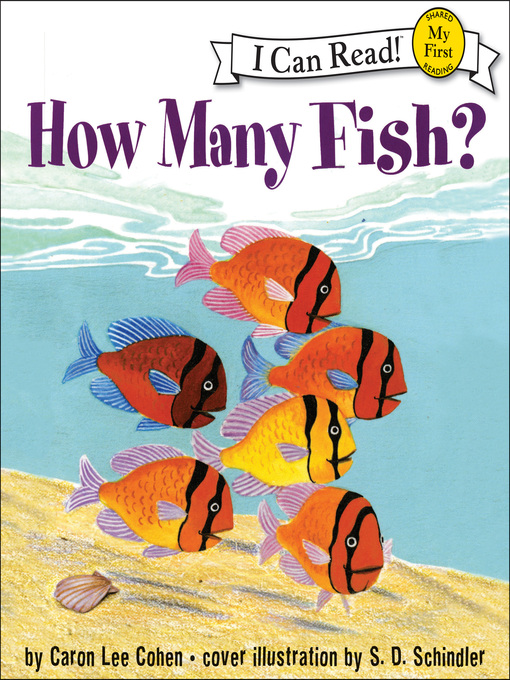
5. How Many Fish? by Caron Lee Cohen on Jacksonville Public Library
Wednesday, March 21, 2012
Storybird
I used Storybird to create a picture book about a girl named Katie and her adoration for the summertime. Storybird made it easy to create a picture book, despite my lack of creativity. :)
Katie Loves Summer on Storybird
Katie Loves Summer on Storybird
Saturday, March 17, 2012
Field Trip #2
For this assignment, I visited two reading tutoring sessions
at my school. Loretto employs a
part-time tutor who works with 3rd – 5th grade students
who struggle in reading and math. These
students were identified by our Principal and Assistant Principal as needing
remediation based on their performance on past standardized tests and report
card grades. Teachers also identified
students’ specific areas of need to be worked on. The tutor, James Watts, is from England and
has a degree in Elementary Education. He
works with students for 30 minutes on Mondays, Tuesdays, Thursdays, Fridays,
and non-early-release Wednesdays. The
tutoring sessions take place in our school’s conference room, where a long
table, chairs, white board, and SmartBoard are available.
During my visit, I observed Mr. Watts working with a group
of five 5th grade students on a reading lesson. His lesson focused on comprehension and
test-taking strategies, in preparation for the upcoming FCAT. The students independently read a passage and
completed several multiple-choice questions.
Then, Mr. Watts and the students re-read the passage together and went
over each question, discussing answer choices and the strategies the students used. The group completed several other passages of
various genres in the same manner.
The second tutoring session that I observed was Mr. Watts
working with a group of four 3rd grade students on a fluency
activity. These students read significantly
below grade level and were working with materials provided by a first grade
teacher. The group was shared reading a
short story, focusing on word decoding and self-check strategies. Afterwards, the students partner read another
short story while Mr. Watts assisted individual students. The session continued with additional work on
fluency strategies and practice.
All of the assessments that students complete while working
with Mr. Watts are kept in a file that is given to the students’ teachers and
kept for future use and documentation purposes (such as RtI meetings).
Mr. Watts uses materials provided by the school, such as reading
lessons from the FCAT Blast Off! workbook,
reading passages from FCAT TestMaker software, and various other reading practice
workbooks to aid in comprehension lessons.
Other materials used include sight word flashcards, books of various
genres, and individual white boards and markers for student use. He also uses materials such as the SmartBoard
for interactive games, PowerPoints, videos, etc.
Wednesday, February 29, 2012
Dripread Book...
I chose to read Little Women by Louisa May Alcott for my daily reading subscription.
Monday, February 27, 2012
Five Minute Emailed Book Reflection
I chose to have the book, Little Women by Louisa May Alcott, emailed to me daily through dripread.com. Currently, I’ve received and read 30 of 264 emails. One thing I like about reading a book this way is that I don’t have to devote a long period of time to reading a book. With the demands of taking care of a newborn, reading a book for pleasure is difficult to do. I also like the ease of receiving the book through email. I don’t even have to download the text, as it appears directly in the body of the email. However, a drawback to this method of reading is that the plot can become somewhat choppy. Also, it can be difficult to remember what I read the day before because I only read a small portion of the book. Some days I re-read the previous day’s email or waited and combined several days’ reading into one session. Also, because I’m only reading five minutes of text a day, it will take me months to finish one book. Overall, I am enjoying the experience as something new I tried. Whether or not I’ll read another book this way is still undecided.
Technology-Enhanced Literature Circles
I use Literature Circles in my 3rd grade classroom every year. They are a great way to provide students with opportunities to discuss texts while cooperative learning skills. In past years, I incorporated the technology aspect into my literature circles by allowing the students to use Glogster. They each created a "glog" (poster) of a character in the book and described the character's traits. Each student's glog was unique and personalized. We then shared the glogs as a class. They thoroughly enjoyed using this technology as part of their literature circle experience. Unfortunately, Glogster now requires you to pay to have more than one user on an account, so I've been unable to use this website this year.
Another idea for a technology-enhanced literature circle that I could use with my students is to have the "Word Wizard" (Vocabulary Elaborator) create a word cloud (on wordle.net) to highlight some of the text's vocabulary. At the same time, the group's "Discussion Director" (Discussion Coordinator) could use the computer to type up questions to discuss with his/her classmates. The "Artful Artist" (Graphic Illustrator) could use the Paint program on the computer to illustrate a scene in the book, while the "Passage Picker" (Background Researcher) uses the internet to research information about the background of the story.
These are just some of the ways that I would incorporate a technology-enhanced literature circle into my classroom.
Friday, February 17, 2012
Jacksonville Public Library
For this assignment, I visited the Main Library and the Mandarin Library branches. Both of these visits were informative and enlightening, as I learned a lot about what the Jacksonville Public Library has to offer.
 The Special Needs Library at the Main branch has a variety of resources for individuals with disabilities. They have assistive technology devices such as computers with ZoomText, a VideoEye machine, and a Sorenson Video Relay System (VRS). Other resources offered by the Special Needs library are the Kurzweil 3000 text-to-speech software and a JAWS screen-reading tool. The library also has an extensive collection of Talking Books available for use free of charge.
There were several individuals using the Special Needs Library's services when I visited. One gentleman was using a computer with screen magnification software enabled. Another person was utilizing the OpenBook scanning and reading software.
Other services offered by the Special Needs library are monthly Closed Captioning Movie Series for individuals with hearing impairments and a Described Movie Series for those with visual impairments. The library also has a newsletter and a blog.

I also visited my local library branch, the Mandarin Library on Kori Road. This visit was in the evening, therefore there were many adults and children enjoying all the library has to offer. This is an older library branch and therefore doesn't have all the "bells and whistles"that some of the other branches do. However, updates have been made recently, such as the self-checkout machine. This branch has two meeting rooms (one is actually a conference room).


The Jacksonville Public Library's website is also a great resource. It offers resources for readers of all ages, such as a newsletter, online bookstore, and access to ebooks available for download.

 The Special Needs Library at the Main branch has a variety of resources for individuals with disabilities. They have assistive technology devices such as computers with ZoomText, a VideoEye machine, and a Sorenson Video Relay System (VRS). Other resources offered by the Special Needs library are the Kurzweil 3000 text-to-speech software and a JAWS screen-reading tool. The library also has an extensive collection of Talking Books available for use free of charge.
There were several individuals using the Special Needs Library's services when I visited. One gentleman was using a computer with screen magnification software enabled. Another person was utilizing the OpenBook scanning and reading software.
Other services offered by the Special Needs library are monthly Closed Captioning Movie Series for individuals with hearing impairments and a Described Movie Series for those with visual impairments. The library also has a newsletter and a blog.
 |

 |
| Talking Books |
 |
| Talking Books Player |
 |
| Sorenson VBS |
 |
| ZoomText Computer |
 |
| VideoEye System |
 |
| Talking Book Cassette |
I also visited my local library branch, the Mandarin Library on Kori Road. This visit was in the evening, therefore there were many adults and children enjoying all the library has to offer. This is an older library branch and therefore doesn't have all the "bells and whistles"that some of the other branches do. However, updates have been made recently, such as the self-checkout machine. This branch has two meeting rooms (one is actually a conference room).


One of the services offered by this branch is an ESL Conversation Club that meets every Monday at 10:00am to practice conversational English skills. The branch also hosts weekly storytime sessions for kids and families. The library also hosts movie nights, guest reader visits, and various book clubs. The meeting rooms are reserved for things such as tutoring, club meetings, as well as a voting precinct. Tax assistance services and forms are also available at the branch. An internet class for beginners is offered this month as well. The Mandarin branch also has activities specific to teenage patrons, such as movie nights and an SAT Prep class.


 | ||||||||||||||
| February's Schedule of Events and the Mandarin Branch |
The Jacksonville Public Library's website is also a great resource. It offers resources for readers of all ages, such as a newsletter, online bookstore, and access to ebooks available for download.

Sunday, February 12, 2012
Low Tech Writing Kit
These items can assist students who have difficulty with writing.
Item #1: Erasers with grips. This item is useful because the grip can help students get a handle on the erasers for better functionality. It was found at Staples for $2.99 (4-pack).

Item #2: Pencil grips. This item is commonly used in classrooms. It is very helpful for students who have difficulty gripping pencils. It also softens the area where the pencil is held, which helps those students who grip the pencil too tightly, creating calluses. It was found at Staples for $2.49 (10-pack).

Item #3: Lettering guides. This kit includes stencils of various sizes in letters (upper- and lowercase) and numbers. It can be useful for helping students work on writing letters and numbers properly. The fact that it's a stencil makes it so that the user stays inside the line. An activity for this kit would be to write using the stencils for practice and then removing the stencils and writing without assistance. This item was found at Staples for $4.99 (4-pack).


Tuesday, January 31, 2012
Text-to-Speech
Using the text-to-speech support during the editing process can be very beneficial for struggling writers. For instance, allowing an individual to hear back what he/she has written can help to catch errors that may have been made. Also, for students who are auditory learners, converting text to speech can further assist in editing the document. As a teacher, I have used text-to-speech support in my classroom. In one instance, a student, who had great difficulty with his handwriting, was allowed to type a non-fiction animal report for a writing assignment. In addition to printing out the report and allowing him to edit it with colored pencils, he also used text-to-speech to listen to his document. This accommodation can be beneficial for all students as an added level of proofing their work. I feel that the text-to-speech tool is very useful as part of the editing process.
Peet, W. (2004) Why, how, and for whom we need to use talking word processors. http://www.drpeet.com/whyhow.htm
Peet, W. (2004) Why, how, and for whom we need to use talking word processors. http://www.drpeet.com/whyhow.htm
Tuesday, January 10, 2012
Spell Checker
Personal Observations & Feelings
I believe that using spell checker has its advantages and disadvantages. One benefit to spell checker is its ability to help students who struggle with spelling compose more legible documents. This is especially important if the document written will be graded by an instructor. A drawback to spell checker, however, is its possible tendency to create lazy writing habits in students. In other words, if a student knows that spell checker is available to edit his/her document, the student might not put as much effort into using proper spelling practices. This habit could cripple a student's ability to learn to properly spell certain words.
My Position
Despite spell checker's possible drawbacks, I believe it is a useful tool in the classroom. As an assistive technology device, spell checker allows students who struggle with spelling to express themselves more clearly. It can also be beneficial in helping students discern what spelling patterns and words they continually misspell.
Sorrentino, J. (2008). Is spell checker creating a generation of dummies? Retrieved from http://www.education.com/magazine/article/spell_check/
I believe that using spell checker has its advantages and disadvantages. One benefit to spell checker is its ability to help students who struggle with spelling compose more legible documents. This is especially important if the document written will be graded by an instructor. A drawback to spell checker, however, is its possible tendency to create lazy writing habits in students. In other words, if a student knows that spell checker is available to edit his/her document, the student might not put as much effort into using proper spelling practices. This habit could cripple a student's ability to learn to properly spell certain words.
My Position
Despite spell checker's possible drawbacks, I believe it is a useful tool in the classroom. As an assistive technology device, spell checker allows students who struggle with spelling to express themselves more clearly. It can also be beneficial in helping students discern what spelling patterns and words they continually misspell.
References
Stanberry, K., & Raskind, M. (2010). Assistive technology tools: Writing. Retrieved from
http://www.greatschools.org/special-education/assistive-technology/960-writingtools.gsSorrentino, J. (2008). Is spell checker creating a generation of dummies? Retrieved from http://www.education.com/magazine/article/spell_check/
Subscribe to:
Comments (Atom)